COTX X3 Helium Hotspot Miner V1.2 EU868 Stock
The COTX X3 Helium hotspot is a compact LoRaWAN gateway built for the 868 MHz band used across Europe. The V1.2 revision keeps the same small housing as earlier units, with an internal antenna, an Ethernet port and Wi-Fi for backhaul. Power comes from a standard 12 V adapter, and typical draw sits around 5 W, so running it all year costs only a few euros of electricity.
Most buyers look at this model because it is light on setup and cheap to run. It is not the most powerful gateway on the market, and that matters for what you can expect from it.
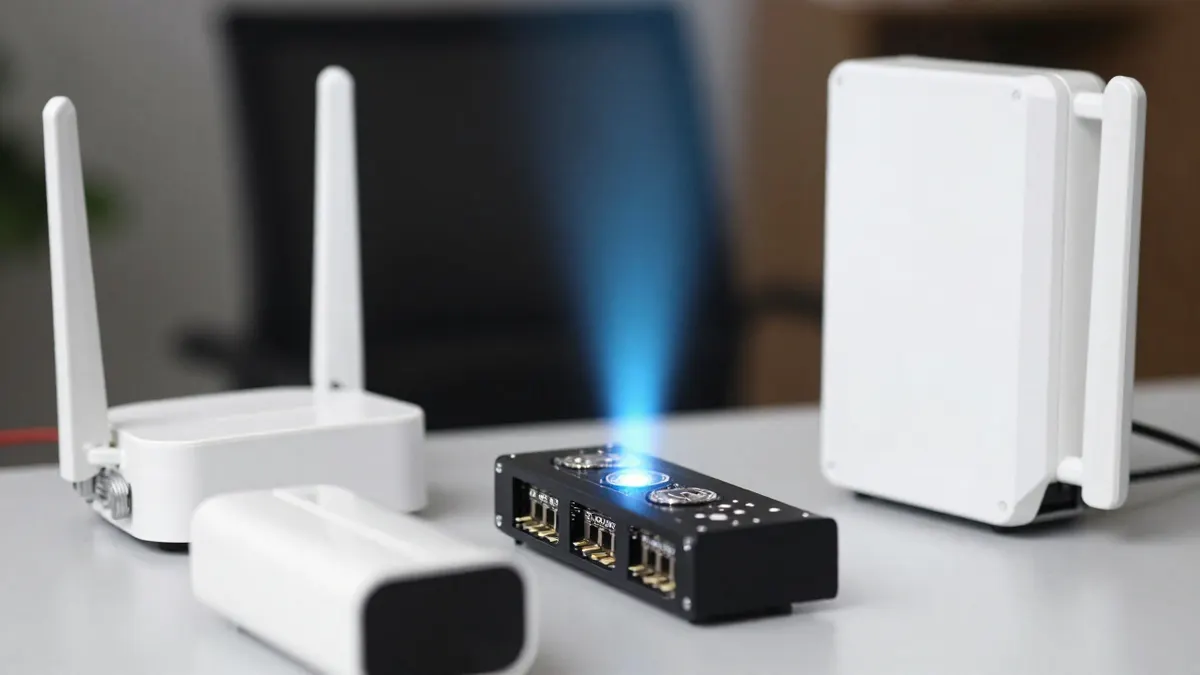
COTX X3 Helium Hotspot: Key Specifications
The hardware follows the usual pattern for a mid-range indoor gateway. Numbers below are indicative and can differ slightly between production batches.
- Frequency plan: EU868 (863 to 870 MHz)
- Backhaul: Ethernet RJ45 and 2.4 GHz Wi-Fi
- Power: 12 V DC, around 5 W in normal use
- Antenna: internal, roughly 2 to 3 dBi gain
- Typical indoor range: 300 m to 1 km in a built-up area
- Open-field range: up to 5 km or more with a clear line of sight
The internal antenna is the weak point. If you can swap it for an external one placed near a window or on a roof, coverage improves a lot. A 5 to 6 dBi outdoor antenna with a short, low-loss cable is the usual upgrade.
What "Stock" and V1.2 Mean for This Listing
"Stock" in the title points to a unit that was held in European inventory, so it is already configured for EU868 and does not need a frequency change. V1.2 is the hardware revision, and it matters when you check firmware and onboarding instructions. Guides written for V1.0 or V1.1 can show different menu screens.
Check the label on the underside before you start. It shows the model, revision and the serial number you will need for registration. A mismatch between the label and the frequency plan is a red flag, because a US915 unit will not run legally on European frequencies.
COTX X3 Miner: Setup and Placement
Setup takes about 15 to 30 minutes if your network cooperates. Plug in the power and Ethernet cable, wait for the status light to settle, then use the companion app to claim the device and set your location.
Placement tips
Height beats everything else. A hotspot on an upper floor near a window will out-cover the same unit in a basement by a wide margin. Keep it at least 1 m away from routers, microwaves and large metal objects.
Network requirements
A wired connection is more stable than Wi-Fi. Make sure outbound traffic is not blocked by your router, and avoid networks that use strict carrier-grade NAT if you can, since they cause the occasional sync drop.
Earnings Expectations in 2026
Be realistic. Rewards on the Helium network depend on local coverage, nearby hotspot density and actual data transfer demand, and most indoor units in dense cities earn very little. Rural placements with few neighbours tend to do better, though traffic there is also thin.
Treat any unit as a way to take part in a community LoRaWAN network, and not as a guaranteed income source. If the payback calculation only works under optimistic assumptions, skip it. Before spending money, look at the coverage map around your address and count how many existing hotspots sit within 2 km.
Buying Route and Price Checks
Prices for this model have typically ranged from about 60 to 120 EUR depending on stock and shipping. Verify seller reputation, warranty terms and the revision number before paying. A reliable COTX X3 reseller should list the hardware version and frequency plan clearly, and be able to confirm both.
Discounts appear from time to time, so it is worth checking whether a current COTX X3 promo code exists before checkout. Do not trust codes from unknown sources that ask for payment details outside the normal checkout.
If you are still comparing options, browsing other EU868 helium hotspots helps you judge whether the X3 fits your budget and coverage needs, or whether a unit with an external antenna port makes more sense.
Frequently Asked Questions
Does the COTX X3 work outside Europe?
Not legally with the EU868 version. This unit is tuned for the 863 to 870 MHz band, and other regions use different plans such as US915 or AS923. Buy the variant that matches your country.
Can I connect an external antenna to the COTX X3?
The standard V1.2 relies on its internal antenna, and opening the case may void the warranty. If range matters to you, look for a model with a proper antenna connector instead of modifying this one.
How much power does it use?
Around 5 W in regular operation. Over a year that comes to roughly 44 kWh, which is about 10 to 15 EUR at typical European electricity prices.
Is Wi-Fi good enough, or should I use Ethernet?
Wi-Fi works for testing, but Ethernet is the better choice for long-term running. A cable avoids dropped connections and keeps the gateway online more consistently.
How far will it actually cover?
In a city, expect a few hundred metres, sometimes up to 1 km from a high window. In flat open country with a clear horizon, several kilometres is possible.