PoE Splitter 48V 5V USB-C: A Practical Guide
A PoE splitter 48V 5V USB-C takes the power that travels down an Ethernet cable and turns it into a regulated 5V output on a USB-C connector. One cable in, a data connection and a power feed out. It is the tidy way to run a small device where no wall socket exists, such as a Raspberry Pi on a roof, a camera under an eave or a compact LoRaWAN gateway in a loft.
The "48V" in the name refers to the voltage that many PoE switches and injectors supply. The splitter steps it down to 5V, usually at 2A to 3A, so you get 10W to 15W at the device.
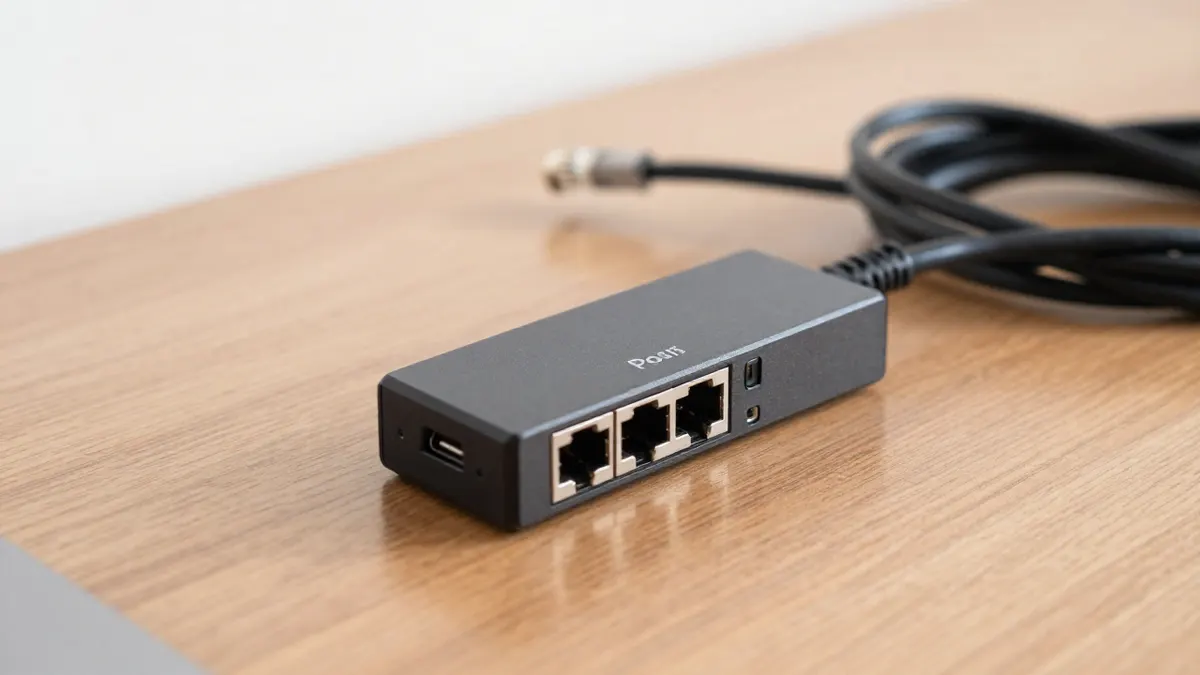
How a 48V to 5V USB-C splitter works
Inside the small plastic case sits a DC-DC converter. The Ethernet cable plugs into the input port, and two outputs leave the unit: a short USB-C lead for power and an RJ45 port that passes data through to the device. Most units are non-isolated or isolated, and the isolated type is the better pick for outdoor runs because it limits the risk from surges and ground loops.
Your power source needs to be compatible. Passive PoE injectors typically send 24V or 48V on the spare pairs, while active 802.3af/at switches negotiate the voltage first. A splitter labelled 48V generally expects either an 802.3af/at source or a passive 48V injector. Check the label before plugging anything in, because 48V into a 24-only unit is a quick way to burn out the converter.
Power budget and cable length
Standard Ethernet allows 100 metres between source and device. Over that distance you lose a little voltage in the copper, but a 48V supply has enough margin that a splitter still delivers a stable 5V. Cheap thin cable (CCA, copper-clad aluminium) is the real problem. It has higher resistance, so use pure copper Cat5e or Cat6 for anything past 30 metres.
Typical figures to look for on the spec sheet:
- Input range: 36V to 57V for wide compatibility
- Output: 5V at 2A (10W) or 3A (15W)
- Efficiency: around 85% to 92%
- Operating temperature: -20°C to 60°C for outdoor use
A Raspberry Pi 4 draws about 3A under load with accessories, so a 2A splitter can cause random reboots. Pick 3A if you plan to attach a USB drive, a modem or a radio card.
USB-C or micro USB: which output do you need?
Match the plug to the port on your device. Newer boards, phones and many mini PCs use USB-C, while older hotspots and single-board computers still use micro USB. If your hardware has the older connector, the PoE splitter 48V to 5V micro USB is the version you want, and the electrical behaviour is the same.
A USB-C plug does not mean the splitter speaks USB Power Delivery. Most of these units output a fixed 5V and nothing else, so they will not charge a laptop. That is fine for a gateway or a sensor hub. It is not fine if your device insists on 9V or 12V negotiation.
Other voltage options
Not every device runs on 5V. Routers, small switches and many outdoor antennas want 9V or 12V. For those, a PoE splitter 48V to 12V is the right tool, and mixing them up can destroy a board. If you are only unsure about a generic 5V barrel or terminal output, the PoE splitter 48V to 5V covers that case without a USB connector.
Setting up a PoE splitter for a Helium hotspot
Many outdoor LoRaWAN miners are mounted near the antenna to keep the coax short, which means the power cable has to follow. Running Ethernet is easier than finding a socket up a mast. The steps are simple:
- Connect the switch or injector to your router with a short patch cable.
- Run the outdoor-rated Ethernet cable to the device location.
- Plug the cable into the splitter input, then connect the data port and USB-C lead to the hotspot.
- Check that the device boots and gets a link light before sealing any enclosure.
If your switch has no PoE, a PoE injector 48V helium setup adds power to a single line without replacing the switch. Put the splitter inside a weatherproof box or under cover, since few of them have an IP rating on their own.
Common mistakes to avoid
Do not assume all PoE is the same. Passive 24V gear and 48V gear look identical, and a mismatch is the most frequent cause of dead units. Measure the output with a multimeter before connecting a valuable device: you want 5.0V to 5.2V with no load.
Short, cheap USB-C leads cause trouble too. A thin 1-metre lead can drop enough voltage to trigger low-power warnings. Keep the lead under 50 cm where you can.
Frequently Asked Questions
Can I use a 48V 5V USB-C splitter with any PoE switch?
Most work with 802.3af and 802.3at switches, because both supply around 48V to 54V. Passive injectors need the voltage to match the splitter's input range. Read the label on both ends before connecting.
How much power can I get from the USB-C output?
Typically 10W (5V at 2A) or 15W (5V at 3A). That is enough for a Raspberry Pi, a small gateway or an IP camera. It is not enough for laptops or devices needing fast charging.
Does the splitter reduce my network speed?
Gigabit models pass data at full speed, while cheaper 10/100 versions cap at 100 Mbps. For hotspots and sensors, 100 Mbps is plenty. For cameras streaming 4K, choose gigabit.
Is it safe to use outdoors?
Only if the unit is rated for it or placed inside a sealed enclosure. Most splitters are indoor plastic boxes with no water protection. Moisture on the connectors is the usual cause of failure within a year.