RF Elements StationBox Aluminium Outdoor Enclosure for Helium and LoRaWAN Gear
The RF Elements StationBox is a die-cast aluminium housing built to hold radio equipment outdoors, close to the antenna. It was designed for wireless ISP gear, but the same shell works well for a LoRaWAN hotspot, a small PoE switch or a lightning protector. Its main selling point is simple: a rigid, sealed box that survives years on a mast or a wall.
Most people who search for it want three answers. Will my hotspot fit, how is it sealed, and how do I get cables in without ruining the rating. This page covers all three.
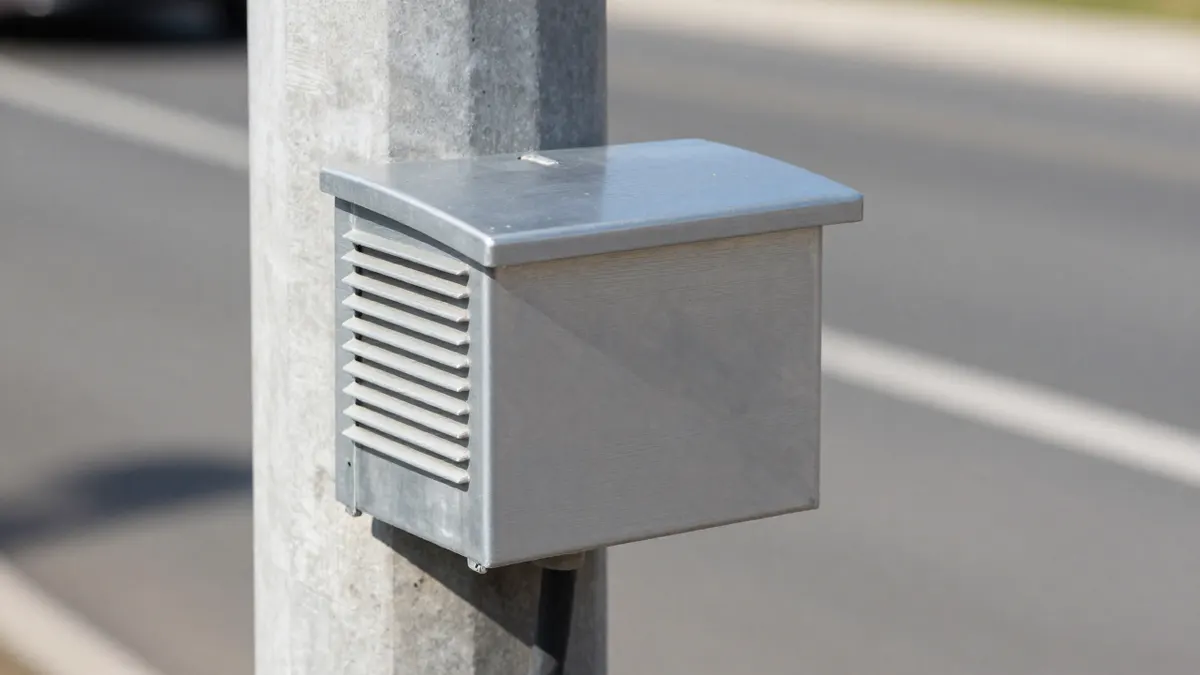
What the RF Elements StationBox is made for
The box is a cast aluminium enclosure with a gasketed lid and stainless screws. The metal body does two jobs. It shields the electronics from sun and knocks, and it spreads heat better than plastic does. A hotspot that idles at 45 to 55 °C inside a plastic case often runs several degrees cooler in aluminium, especially with a light-coloured finish.
The interior is roomy enough for a compact miner board, a PoE injector or splitter, and a few short patch cables. A full-size indoor hotspot with its own plastic shell usually will not fit, so plan to remove it from its original case or choose a bare-board model.
Typical contents
- A bare LoRaWAN gateway board with a pigtail to an N-type bulkhead
- A PoE splitter or a small gigabit switch
- A surge protector for the Ethernet line
- Silica gel packs to absorb moisture
StationBox aluminium outdoor enclosure: sealing and ratings
Outdoor boxes of this class are normally rated IP65 to IP67. That means dust-tight and protected against jets of water, with the higher figure covering short immersion. The rating only holds if the gasket is clean, seated flat and the screws are tightened evenly, in a cross pattern, to a snug but not crushing torque.
Condensation is the real enemy, more than rain. Warm air cools at night, moisture forms inside and sits on the board. Fit a small breather vent or a membrane plug, and drop in a desiccant pack when you close the lid. Replace the pack once a year.
If the StationBox is too big or too costly for your build, an IP66 waterproof enclosure around 225x173x86 mm is a common alternative. It is polycarbonate or ABS rather than metal, so it is lighter and cheaper but runs hotter and blocks no RF noise.
Getting cables in without losing the seal
Every hole you drill is a possible leak. Use proper glands, not rubber grommets or silicone blobs. A Cable gland M12 M20 set covers the usual range: M12 for thin coax pigtails or a single thin Ethernet cable, M20 for thicker outdoor Ethernet with a shielded jacket.
Drill the hole to the size on the gland datasheet, deburr the edge, and add the gasket ring on the outside face. Inside, tighten the locknut. A Cable gland nut M12 M32 assortment is handy when you want spare nuts, since those are the part that gets lost on a rooftop.
Leave a drip loop on every cable. Let it hang below the entry point before it rises to the gland, so water follows the cable down and drips off instead of running inside.
Mounting the box on a mast or wall
The box takes standard mounting brackets and stainless hose clamps. Mast diameters from about 40 to 60 mm are common, and a pair of clamps spaced 10 to 15 cm apart keeps the box from twisting in wind. On a wall, use four stainless screws with plugs matched to the masonry.
Place the box as close to the antenna as practical. Every metre of coax between a LoRa radio and its antenna costs signal, often around 0.3 to 0.5 dB per metre on thin cable at 868 MHz. Mounting the enclosure right under the antenna lets you replace that loss with an Ethernet run, which carries no such penalty up to 100 m.
Ground the aluminium body to your earthing point if the site has one. A short, thick copper strap does more than a long thin wire. Lightning will still win against a direct strike, but grounding and a surge protector limit damage from nearby ones.
Sizing and heat checklist
- Measure the board and the PoE module, then add 2 cm of free space on each side
- Keep sensitive parts off the lid so closing it never presses on them
- Face the box away from afternoon sun where possible
- Test the full setup with the lid closed for 24 hours before final mounting
Frequently Asked Questions
Can I fit a Helium hotspot in the StationBox?
Yes, if it is a compact or bare-board model. Many full hotspots in their own casing are too bulky, so remove the original shell first and check the internal height before you commit.
Does an aluminium box block my radio signal?
Yes, the metal shields the radio. Keep the antenna outside the box and connect it with a short low-loss pigtail through an N-type bulkhead connector.
How much does a StationBox cost?
Prices usually start at around 40 to 80 EUR depending on the version and seller. Treat that as a rough guide only, since stock and pricing change.
How do I stop condensation inside the enclosure?
Fit a breather vent, add a desiccant pack and seal the lid on a dry day. Check the pack once a year and swap it if it looks saturated.