RJ45 Connector: How to Choose, Wire and Crimp It
An RJ45 connector is the 8-position, 8-contact plug that ends most Ethernet cables. A bag of 10 is enough for a small job, such as a LoRaWAN hotspot, a router and a couple of access points. The plug has to match the cable you are using, and that is where most failures start.
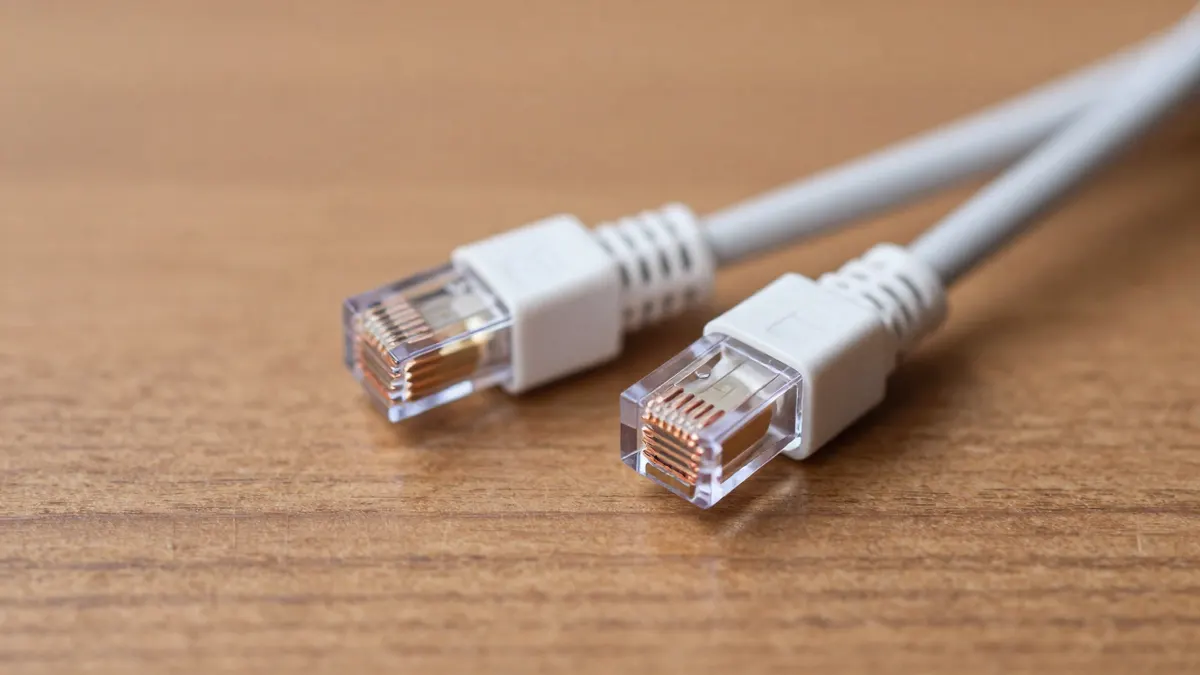
RJ45 connector types and what they fit
Three details decide compatibility: the cable category, the conductor type and whether the plug is shielded.
- Cat5e plugs suit 1 Gbps links up to 100 m and are the usual choice for hotspots and home networks.
- Cat6 plugs often have a loading bar or insert that holds the wires in line, and they accept slightly thicker cable.
- Shielded plugs have a metal shell and only make sense when the cable has a foil or braid to connect to it.
- Pass-through plugs let the wires exit the front so you can check the order before cutting.
Solid-core and stranded cable need different contacts. Solid-core plugs have contacts that pierce the wire with two or three small teeth, while stranded versions have wider, multi-point blades. Using the wrong one gives a link that works on the bench and drops after a few weeks.
Cable diameter matters more than category
Check the outer jacket diameter before anything else. Standard Cat5e runs around 5 to 5.5 mm. Cat6 is often 6 to 7 mm and will not enter a plug made for thin cable. Forcing it bends the pairs and ruins crosstalk performance.
If you are building a link from a Cat5e UTP cable, any standard Cat5e plug will do. Outdoor cable with a thick jacket usually needs a plug with a wider rear opening.
T568B wiring order for an RJ45 connector
Hold the plug with the clip facing down and the contacts toward you. From left to right, the T568B order is:
- White/orange
- Orange
- White/green
- Blue
- White/blue
- Green
- White/brown
- Brown
Use the same order on both ends for a straight-through cable. T568A swaps the orange and green pairs, and it works fine as long as both ends match. Mixing the two on one cable makes a crossover, which modern equipment rarely needs.
Crimping step by step
Strip about 25 mm of jacket, no more. Untwist the pairs, straighten them and cut the ends flat so about 12 mm of bare, ordered wire remains. Slide the wires into the plug until each one touches the front edge. Look from the side: all eight copper cores should be visible at the end.
Then squeeze with a proper RJ45 crimping tool in one firm, complete stroke. A cheap tool with worn dies is the most common reason for a plug that feels tight but loses a pair. The jacket should sit inside the rear of the plug so the crimp clamps it, which gives the cable some pull resistance.
Finish with a RJ45 strain relief boot if you want protection against bending at the plug. Slide it onto the cable before crimping, since it will not fit afterwards. Boots add about 1 to 2 mm to the plug width, so check that the port is not tight.
Testing and common faults
A simple cable tester costs roughly 10 to 15 EUR and shows continuity on all eight wires in sequence. Run it every time. A link that passes at 100 Mbps may still have a broken pair that only shows up at 1 Gbps.
The usual problems are easy to spot:
- Wires pushed in but not reaching the front, which gives an open circuit.
- Too much untwisted length, which raises crosstalk and cuts speed on longer runs.
- A jacket that stops short of the clamp, so the cores take all the strain.
- Reused plugs. Once the contacts have pierced a wire, cut the plug off and start again with a new one.
Frequently Asked Questions
Can I use a Cat6 RJ45 connector on Cat5e cable?
Yes, it will physically work if the cable fits the plug. The link still performs as Cat5e, so there is no speed gain. It is rarely worth paying more for this.
How many times can an RJ45 connector be reused?
Treat a crimped plug as single use. The contacts leave marks in the wire and the clip may weaken after removal. Cutting it off and fitting a fresh one takes about two minutes.
Do I need shielded RJ45 plugs for a hotspot?
Usually not. Unshielded plugs on UTP cable are fine indoors. Shielded plugs help in electrically noisy places, but only if the cable is shielded and grounded correctly.
What is the maximum length with a hand-crimped connector?
The standard limit is 100 m for the whole channel, including patch cords. Poor crimping can lower the usable distance well below that, so test any long run.